
On October 15, a new Windows quality update policy experience appeared in my tenant. First impression: another way to manage quality updates.
The point isn’t managing quality updates. It’s deciding which ones you take and when, which get approved automatically, which sit and wait for manual human approval, and how long each one waits before it reaches a device. If you’ve ever had an optional preview update land in production because nobody was watching the ring, this is the control you’ve been missing.
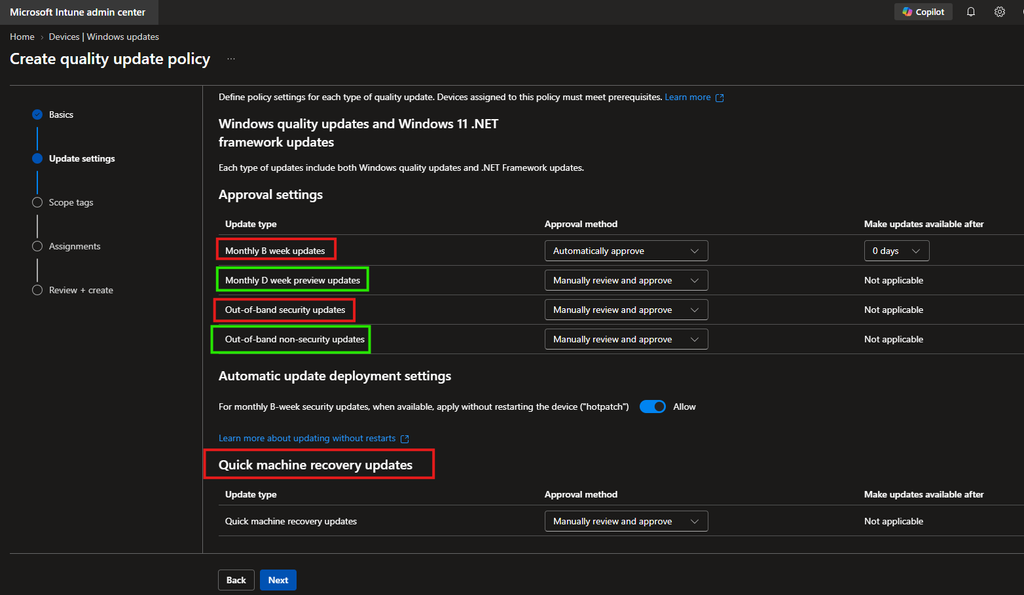
Approval used to be blunt. You had updating rings, deferral periods, and limited control over update types. Now a single quality update policy gives you four update categories, each independently set to automatic or manual, with its own deferral. Quick machine recovery and hotpatch settings live in the same policy. And the same approval settings govern supported .NET Framework releases, which is easy to miss.
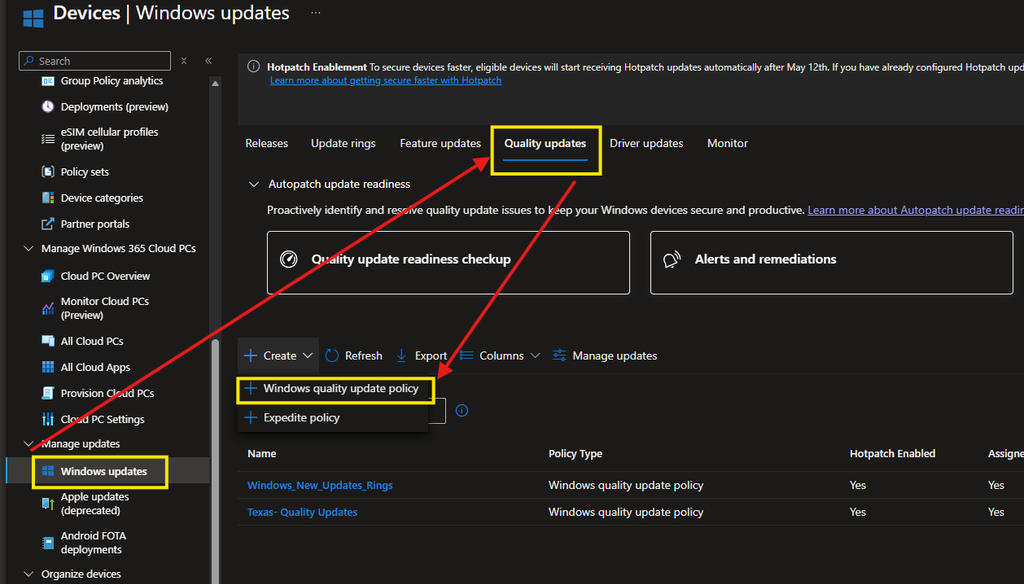
Where to find it
Devices > Manage updates > Windows updates > Quality updates > Create > Windows quality update policy
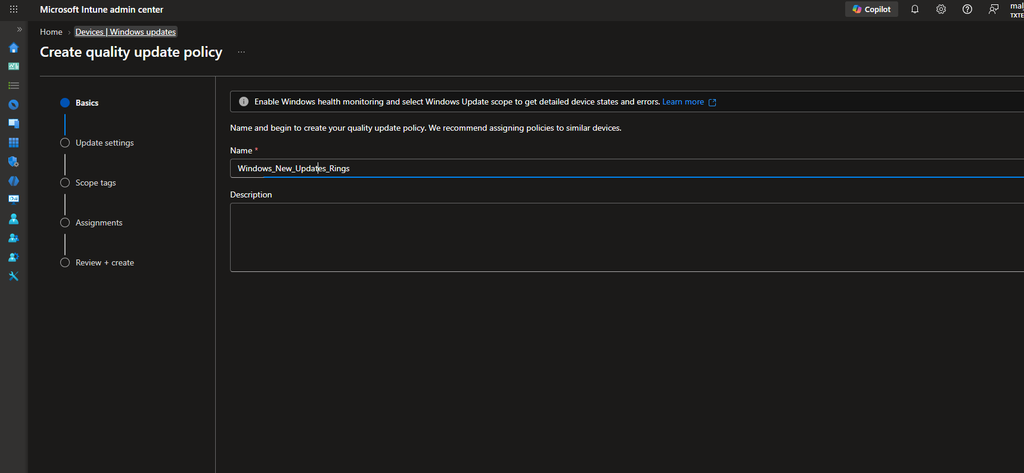
The wizard is the usual shape: Basics, Settings, Scope tags, Assignments, Review + create. Everything interesting is on Settings.
The update types, and what I’d do with each
Monthly B week updates
The second-Tuesday cumulative security rollup. This is your baseline security posture and there’s no good reason to sit on it. Auto-approve, keep the deferral short. Microsoft suggests staying under three days; I’d go 0 for your pilot ring and 1–2 for broad deployment.
Monthly D week preview updates
Optional, non-security, released in the fourth week. They preview the fixes that become mandatory in next month’s B release. Set these to manual and push them to admin and test devices only. This is where you catch the regression before it’s compulsory, so treat the test ring as the whole purpose of the category rather than a nice-to-have.
Out-of-band security updates
Microsoft’s exception releases, they ship outside the monthly schedule because something is being actively exploited or is badly broken. They’re cumulative, so they carry all prior fixes for that Windows version and supersede earlier monthly security and preview releases.
Out-of-band non-security updates
Non-security fixes shipped outside the monthly schedule. Manual, and no real urgency. Worth correcting a common mix-up here: these are not the fourth-week optional previews. That’s the D week category above. Different cadence, different purpose.
Quick machine recovery updates
These push a Microsoft-supplied remediation to the Windows recovery environment when a device encounters a boot-critical failure. The default is manual, meaning you select each release. I’d argue that automatic makes more sense for most tenants, by the time QMR is relevant, the device is already broken and unable to tell you so. Check your change-management posture before you flip it.


My recommended baseline
| Update type | What it actually is | My setting | Make available after |
| Monthly B week | Second-Tuesday cumulative security rollup. Carries that month’s security fixes. | Automatic | 0–2 days |
| Monthly D week preview | Optional non-security preview of next month’s B release. Ships in the fourth week. | Manual | Test ring only |
| Out-of-band security | Emergency security release outside the monthly schedule. Cumulative, supersedes prior releases. | Automatic * | 0 days |
| Out-of-band non-security | Non-security fix shipped outside the monthly schedule. Rarely urgent. | Manual | n/a |
| Quick machine recovery | Microsoft-supplied remediation for devices hit by a boot-critical failure. | Automatic | 0 days |
* Out-of-band security is set to automatic by choice. Intune ships it as manual.
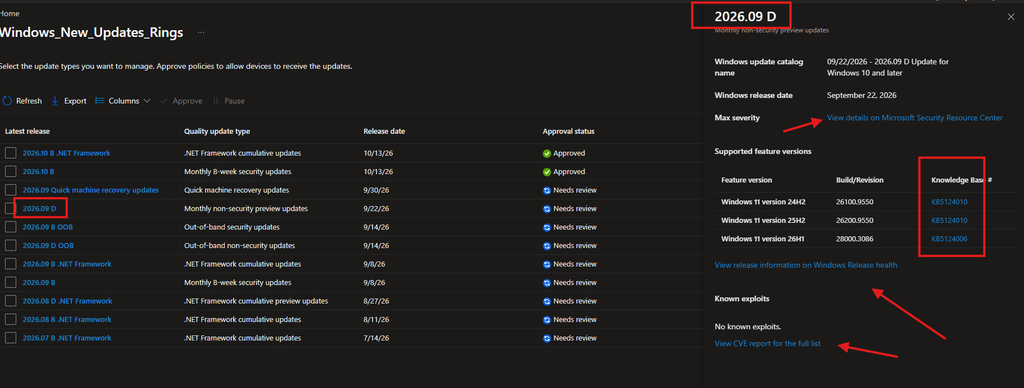
Before you approve anything manually
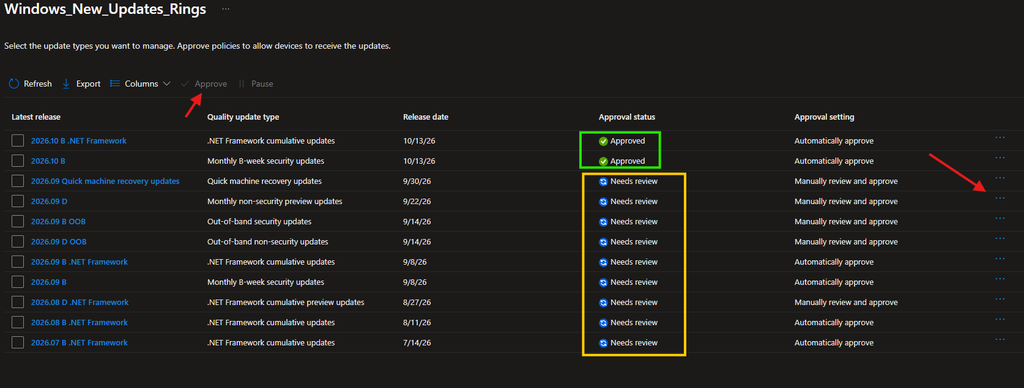
Automatic approvals are the easy half. The manual ones are where this feature earns its keep, so build a habit around them.
- Review the payload first. Open the release from the Manage quality updates blade and review the payload, the severity and included KBs are right there.
- Check KB, CVE, and MSRC. Read the KB article, work through the CVE list, and check the Microsoft Security Response Center entry. Loop in your security team on anything that isn’t routine.
Happy Security Weekend 👍🏻